
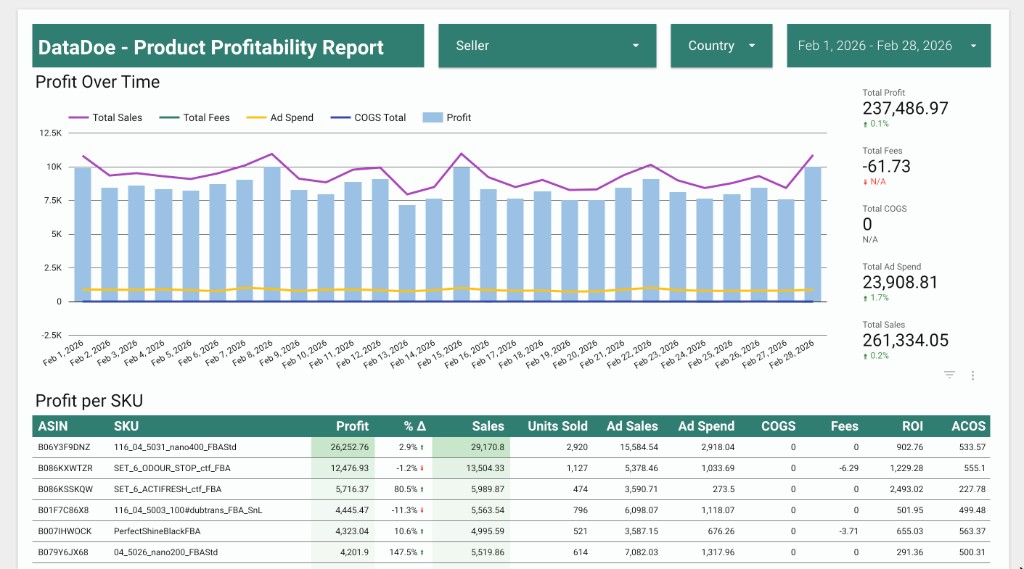
Product Profitability Report
See profit by product with a clear breakdown of sales, costs, fees, and margins. Built for quick weekly reviews.
Tables used
amazon_profit_by_sku_and_date
Pick a template. DataDoe copies it into your Data Studio and connects it to your Amazon data through BigQuery. Open the report in your browser - no SQL, no schema mapping.
Every template is pre-wired to the DataDoe BigQuery schema. We handle the data plumbing so you can focus on the answers.
Browse the gallery below and pick the report that answers your question.
We copy the template to your Data Studio and connect it to your BigQuery data. If BigQuery isn't connected yet, we walk you through it first.
The report opens in your browser. Filter, drill in, schedule refreshes. It is yours.
Curated Data Studio dashboards built on the DataDoe data layer. New templates added as customers ask for them.
See profit by product with a clear breakdown of sales, costs, fees, and margins. Built for quick weekly reviews.
More reports in the works.