


Built for Amazon sellers · FBA and FBM

The Seller Central integration your AI agent can act on

Seller Central and Amazon Ads for every store and marketplace you run, in one connection. Your AI agent checks orders, fees, stock and PPC, then fixes listings, prices, orders and bids once you switch Actions on.

  • Seller, Ads & Vendor dataSeller, Ads & Vendor
  • Approved Amazon appAmazon-approved
  • $97/mo after the trial$97/mo
• Ask your store

Ask about your store, get numbers back

Pick a question. The agent queries orders, settlements, PPC and returns across every store you connect, adds your unit costs, and replies with figures you can act on, in whichever AI client your team already uses.

Asked in Claude

Which products made less than 10% margin in September once FBA fees, ads and refunds are in?

datadoe · profit_by_sku + settlements✓
Three SKUs fell under 10%, two of them below zero. 41 SKUs checked for September, with your unit costs applied.
SKU-MINT-12 · net margin−11.3%$612 of long-term storage and a TACoS of 31%
SKU-SAND-02 · net margin−6.8%Refunds took 9% of units shipped
SKU-ROSE-04 · net margin9.2%Just under your 10% line
Follow-up: what is eating SKU-MINT-12?

Storage and ads. Its sales slowed while units sat past the long-term storage date, and PPC kept spending at the old rate. Pausing two broad campaigns brings it back above zero.

Claude, ChatGPT, Gemini, GitHub Copilot, Codex or any other MCP client gets the same figures from one connection.

• Seller write access

What your agent can change in Seller Central

From the same chat, the agent edits listings and prices, confirms FBM shipments, publishes A+ Content and tunes your campaigns. You can preview each change as a dry run before it goes live.

ChatGPT
Match the Featured Offer price on SKU-TEAL-12 if margin stays above 18%.
datadoe · AMAZON_LISTINGS_PRICING_UPDATEdry run ✓
Here is the change, checked against your floor:
SKU-TEAL-12SELLER · US
Price$24.99 → $22.10
Margin after fees29% → 19%
Your 18% floorclears ✓
Approved. $22.10 goes live as soon as Amazon processes the update.
Ask anything
Gemini
Build an A+ brand story for the six teal ASINs and check it before submitting.
datadoe · AMAZON_APLUS_CONTENT_VALIDATEvalid ✓
Checked and ready:
Brand story · teal lineSELLER · UK
Modules4
ASINs covered6
Amazon validationclean ✓
Sent for review. All six ASINs get the brand story once Amazon approves it.
Ask Gemini
Claude
Confirm shipment for today’s FBM orders with these tracking numbers.
datadoe · AMAZON_ORDERS_CONFIRM_SHIPMENTdry run ✓
Three orders ready to confirm:
Confirm shipmentFBM
701-4419922-8830142UPS ✓
702-8871004-1129055UPS ✓
Late shipment riskcleared ✓
Confirmed. Buyers get their tracking, and the late-shipment clock stops.
Reply to Claude…
ChatGPT
Cut bids 20% on every keyword above break-even ACoS in the sand set campaign.
datadoe · AMAZON_ADS_TARGETS_UPDATEdry run ✓
Eleven keywords qualify:
SP · Sand setSPONSORED PRODUCTS
Keywords changed11
Average bid$1.45 → $1.16
Projected ACoS44% → 33%
Applied. New bids are live in Amazon Ads now, each change logged.
Ask anything
• Your options

Amazon’s plugin covers one store. DataDoe covers the business.

Amazon’s own Selling Partner plugin is free and good at listings for a single US store. DataDoe adds what sits around it: profit after fees and ads, Amazon Ads, every marketplace and account, history, and whichever AI your team uses.

  • Yes
  • In part
  • No

When you shouldn’t use us. If you run one US store, work only in Claude and mostly fix listings or send FBA shipments, Amazon’s free plugin is a good place to start. FBA inbound shipments are not a DataDoe Action yet.

DataDoe vs Amazon Seller Assistant
How the ways to connect Amazon Seller Central to AI agents compare, based on public documentation checked in October 2026
Seller Central
& reports
Amazon’s Selling
Partner plugin
Amazon’s
Ads MCP
Read-only
data connectors
Margin per SKU after fees, ads, COGS
One schema for Seller, Ads and Vendor
All marketplaces, multiple stores
Listing and price edits with approval
Bid and budget changes with approval
Years of history, BigQuery, exports
Claude, ChatGPT, Cursor and more
• Seller data model

Orders, fees and ads in one schema

100+ tables across Seller Central, Amazon Ads and your own costs, joined by SKU and ASIN, so one question can cover profit, stock and ad spend for every store at once.

Explore the full schema
Amazon Seller Central and Ads data normalized by DataDoe and available to your AI agent
Data areaWhat’s in it
Amazon Seller Central
Orders and order itemsEvery order line with price, promotions and fees, refreshed during the day
Settlements and feesEvery finance event: referral and FBA fees, storage, placement, coupons, reimbursements
FBA inventory and restockVelocity, ageing, excess and stranded units, inbound, AWD and Amazon’s restock advice
Returns and the FBA ledgerReturns with reason and disposition, and every unit movement
Listings and catalogAttributes, product types, images and listing issues
Pricing and the Featured OfferCompeting offers, landed prices and your Featured Offer share
Search Query PerformanceImpressions, clicks and purchases per search term for your ASINs
Brand AnalyticsTop search terms, repeat purchase and market basket
Account health and eventsAccount Health Rating, defect rates and Amazon notifications
Amazon Ads for sellers
Sponsored adsEvery SP, SB and SD ad with spend, orders and ACoS
Search termsShopper queries with estimated profit and break-even ACoS
Keywords and negativesTargets, match types and bids as they change
Marketing Stream and DSPHourly SP data and DSP results next to your orders
Your own costs
COGS per SKUUpload a CSV or set it over MCP
Profit and loss per SKUDaily, after every fee, refund, ad and unit cost, with ACoS, TACoS and ROI
Every account, one schemaAll your brands, marketplaces and Vendor Central accounts together
• Seller safeguards

Your agent reads
until you switch writes on

It reads Seller Central and Ads as soon as you connect. Changing listings, prices, orders or bids needs that Action switched on, and most AI clients ask in the chat first. Price updates are a separate Action type.

Nothing changes on connectReading is the default.
Prices are separateTheir own Action type.
Approve in chatMost AI clients ask first.
Store by storeRead-write here, read-only there.
Full audit trailWhat changed, and when.
Switch off anytimeAccess gone in seconds.
• The Builds

Seller tools built
in one sitting

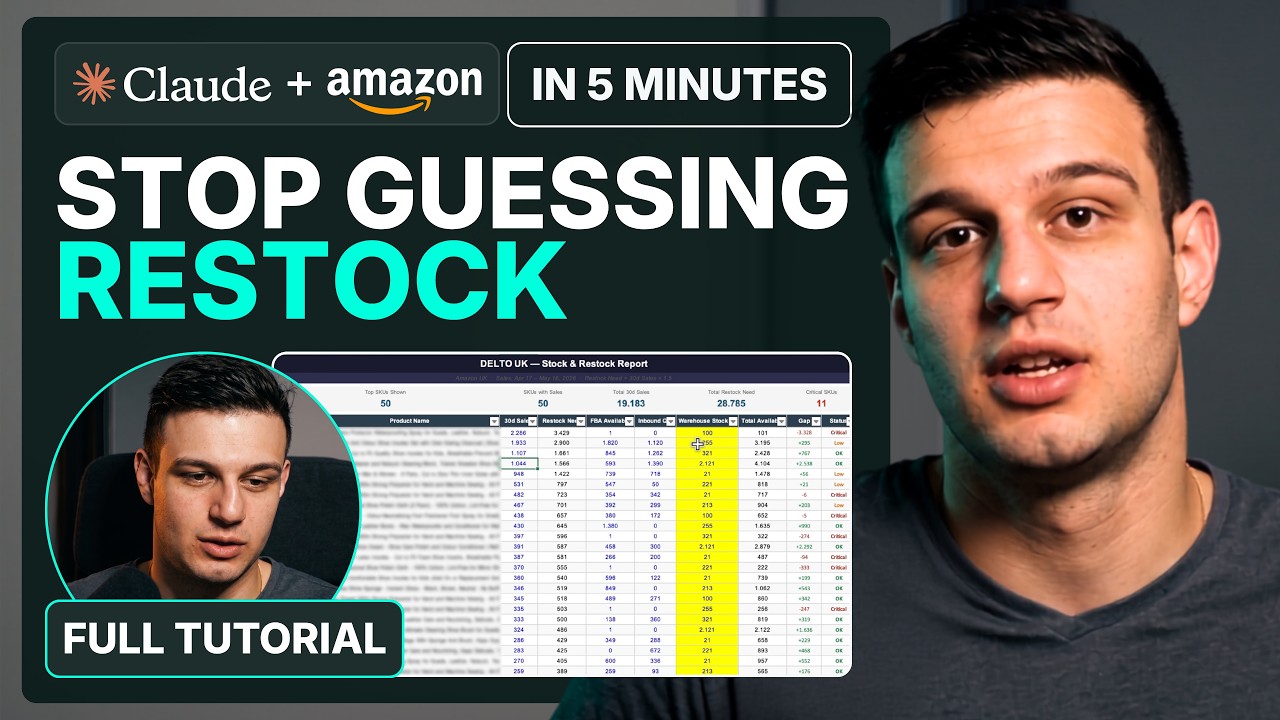
A restock planner, a morning health check posted to Slack and an FBA unit ledger, each built by Claude on a live seller account in a single session.

FBA restock planner built with Claude Code on live seller data

FBA restock planner

Velocity, cover and inbound turned into a reorder list per SKU.

Account health check that posts to Slack, built with Claude Code

Account health alert in Slack

A daily check that posts to Slack only when a metric slips.

FBA unit ledger built with Claude Code

FBA unit ledger

Every receipt, transfer, sale and removal, traced per unit.

• Seller setup

Put Seller Central inside your AI today

Create an account, approve DataDoe in Seller Central, and add one connector URL to Claude, ChatGPT or any MCP client. Every store and marketplace you run comes through that same link.

  • About 5 minutes from sign-up to the first answer
  • Every store and marketplace behind one connector URL
  • About two years of history backfilled, recent data first
  1. Step 1

    Open your account

    Two weeks free on the full Base Plan, write access included, with an optional onboarding call.

  2. Step 2

    Approve it in Seller Central

    Grant access on Amazon’s consent page, add your Ads profile, and repeat for every store you run.

    Seller Central gets connected from your DataDoe account, so open one at — or sign in if you have it.
  3. Step 3

    Grab the connector URL

    A single MCP address for Claude, ChatGPT, Cursor, Codex or an agent you built yourself.

    Pasting this URL prompts a DataDoe sign-in, so start with — or sign in. https://mcp.datadoe.com/mcp/v1
  4. Step 4

    Connect your AI

    Add the URL, sign in once and start asking. Recent data arrives first, usually the same day, and history fills in behind it.

FAQ

Seller Central questions? Answered.

Yes, within limits you set. With DataDoe, an AI agent in Claude, ChatGPT or any MCP client reads your orders, fees, inventory and Amazon Ads, and can update listings, prices, orders, A+ Content and campaigns. Every Action type is off until you switch it on, you can preview any change as a dry run, and most AI clients ask you to confirm it in the chat.

Yes. In September 2026 Amazon released its Selling Partner plugin, a Seller Central MCP server, in beta for US third-party sellers in Claude and Amazon Quick. It covers one account at a time and does not include Amazon Ads, finance, other marketplaces or Vendor Central.

Amazon's plugin is free and good for one US store in Claude, and it can send FBA inbound shipments, which DataDoe cannot yet. DataDoe adds Amazon Ads, profit after fees and COGS, settlements, history, BigQuery, every marketplace and account, order and shipping Actions, and works in ChatGPT and any other MCP client.

Yes, the Selling Partner API. Using it directly means registering as a developer, authorizing each marketplace, scheduling reports and handling rate limits. DataDoe runs that plumbing and hands you the output over MCP, REST, BigQuery, webhooks and file exports.

No. You authorize DataDoe inside Seller Central, and DataDoe uses its own approved application to fetch your data and run Actions. You never register as a developer or handle API keys from Amazon.

It can update listings, images and prices, cancel items, confirm shipments, request reviews, buy shipping labels, run MCF and removal orders, publish A+ Content and manage Sponsored Products, Brands and Display campaigns. Each Action type is off by default, price updates are a separate Action type, you can dry-run any change, and most AI clients ask before it runs.

Yes. Your agent reads Sponsored Products, Brands and Display performance next to your profit, including estimated profit after ads and a break-even ACoS per keyword, then changes bids, budgets, targets and negatives once you switch Ads Actions on. Ads changes reach Amazon shortly after they run.

Yes, through a separate price Action type, so price updates can be switched on apart from basic listing edits. DataDoe is not a repricer: each price change is prepared by your agent, can be previewed as a dry run and is logged.

Authorize Seller Central in DataDoe, add DataDoe as a ChatGPT connector and log in, with no Amazon API keys involved. The ChatGPT connect page walks through each screen.

Authorize Seller Central in DataDoe, open Claude's connector settings, add the DataDoe URL and sign in. The connection carries over to Claude Desktop, Claude Code and the Excel, Word and PowerPoint add-ins, so you set it up once.

Whichever assistant your team opens every day. Claude, ChatGPT, Cursor, Codex and Gemini all speak MCP, so the difference comes from the store data they can see and whether they are allowed to fix things, which is what DataDoe supplies.

Yes. Every Seller Central, Amazon Ads and Vendor Central account sits in one organization under one plan, across all Amazon marketplaces, and one question or one export can span several accounts at once.

Turn on BigQuery and your tables appear in your own dataset, or run one-off and recurring CSV, Excel and JSON exports, with refreshing links for Excel and Power BI. You can also ask your AI for the table you need, or use the REST API.

The Base Plan is $97 a month once the 14-day trial ends, covering every store and marketplace with no per-account fee. Agencies and vendors use the same plan; bigger teams can talk to us about Enterprise.

Want a walkthrough?

We can show it on your own Seller Central account, from the first question to the first approved change.

Book a demo
• Get started

Your store, your AI. Free for two weeks.

Then $97 a month for every store and marketplace you run, with no per-account fees. Start read-only and switch on Actions when you are ready.

  • Profit after every fee
  • Any AI client you like
  • Writes off until you enable them
  • Every store on one plan